This case is being updated – more materials are on the way
Motority – social network for car owners
A platform to share cars, ownership experience and talk to the community
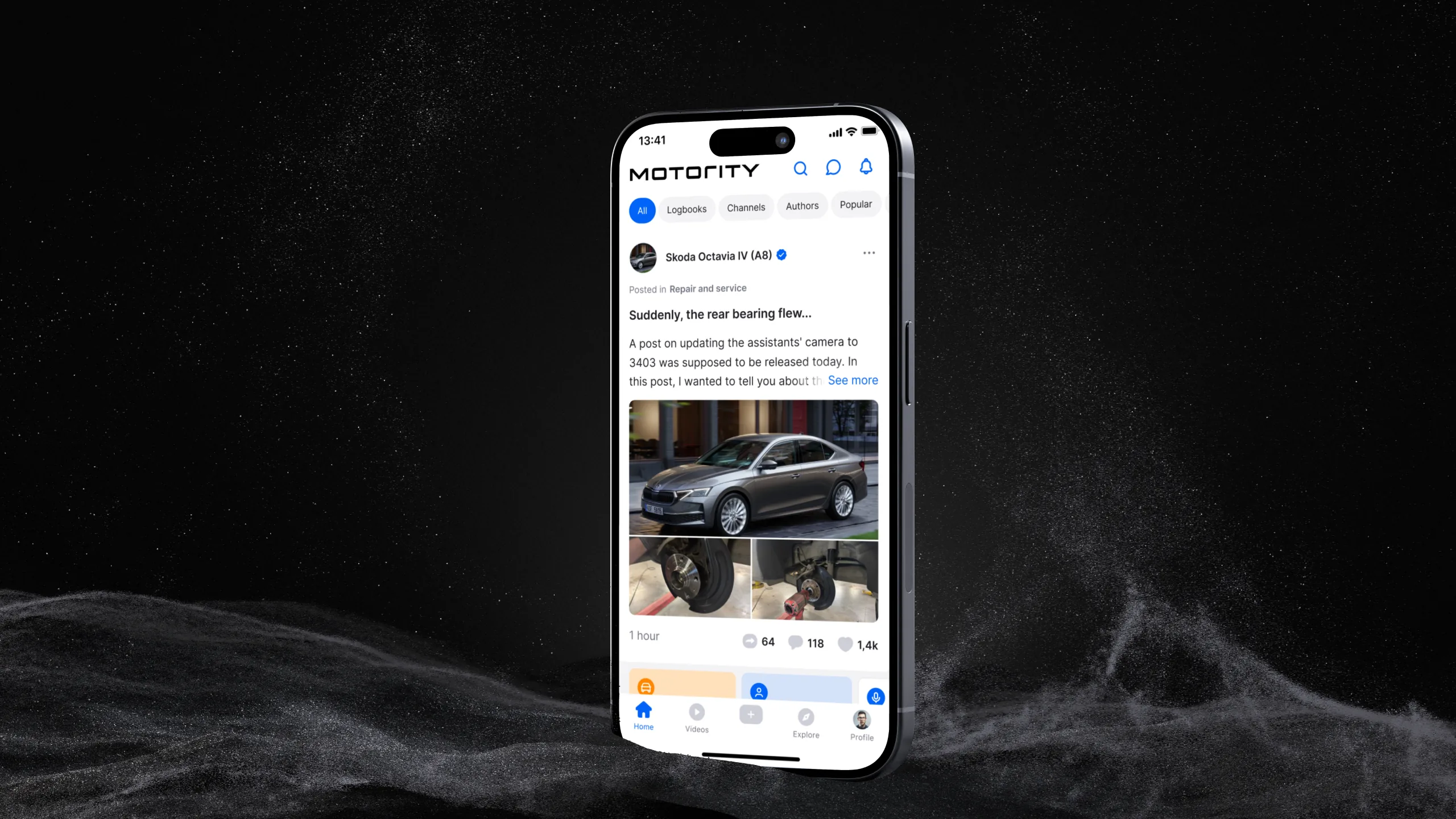
About the project
Motority is a social network for car enthusiasts: a place to collect your cars in a garage, keep a history of owning each vehicle, publish posts and talk to the community. The closest analogue is the Russian platform Drive2, but there are no direct equivalents in the US and Europe.
The product
Audience: car enthusiasts, everyday drivers, car bloggers and car brands.
Key product entities:
- Garage – the user's collection of cars
- Logbook – the life story of a specific car: maintenance, tuning, trips, impressions
- Blog – personal posts in the profile
- Channels – thematic communities
- Home and Explore – feeds and content search
My role
I was the only product designer and owned the entire design process: from product logic and scenarios to UI on three platforms and implementation support. The art director reviewed my decisions and hypotheses and took part in high-level planning.
- designing the product from scratch: structure, scenarios, key entities
- interfaces for Web, iOS and Android
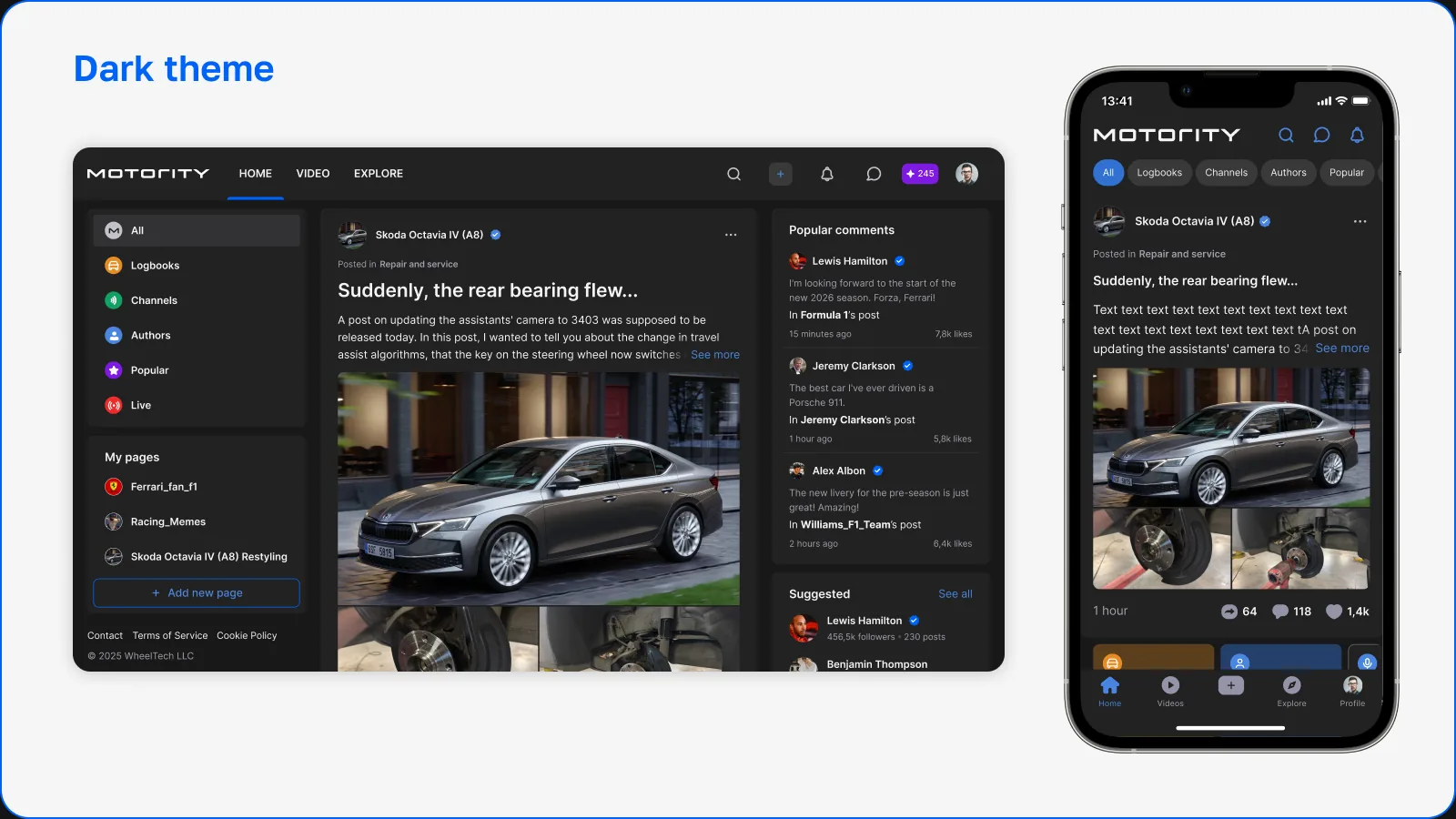
- a cross-platform design system: tokens, light and dark themes, components
- product hypotheses and new mechanics, including MPoints
- handoff to development and acceptance of the implementation
Part 1. Building the product from scratch
The product was built from scratch: first a beta release, then organic user acquisition – the CEO brought in an audience through his own channels, and some people came from social media.
The main goal of the first stage was to build a product that combines two models: a social network (people, posts, follows) and a car "passport" (garage and logbook). This shaped the profile structure: a person is at once an author, a car owner and a community member, and every car has its own page with its history.
In parallel, I built a cross-platform design system: color tokens, light and dark themes, surfaces, states and components shared across Web, iOS and Android. It allowed a team of nine developers to evolve three platforms without the interfaces drifting apart.
The main product screens are collected in the gallery at the end of the case study.
Part 2. Onboarding, logbooks and MPoints
Context
By early 2026 the product had several thousand users. There was no product analytics, so decisions relied on two sources: feedback from people the CEO brought in, and regularly reviewing new users' profiles.
Problem
We noticed a consistent pattern: new users signed up, added a car and started writing posts about it in the Blog section of their profile. Logbooks, meanwhile, were hardly ever created.
User feedback boiled down to three questions:
For the business, this was critical. The logbook is the product's main page: it's where users keep the full history of owning a car, and it's what sets Motority apart from an ordinary social network. Logbook activity mattered more to us than profile activity.
Causes
After analyzing the onboarding and the interface, I identified three causes:
- The value of the logbook wasn't explained. The onboarding had fewer slides, and users learned about the logbook by chance or not at all.
- The logbook was hard to find. There was no button to create a logbook on Web, and the block in the profile was barely noticeable.
- Blog posts were the path of least resistance. Writing a post in the profile is easier than figuring out a new entity, and the product did nothing to steer users toward the logbook.
Goals
- explain the value of the logbook and the "car → logbook → ownership history" connection
- make logbook creation visible and accessible from different places in the product
- introduce users to the product gradually instead of dumping everything on the first screen
- give users a reason to fill out their profile and logbook
- lay the groundwork for monetization beyond advertising
Solution 1. Onboarding that leads to the logbook
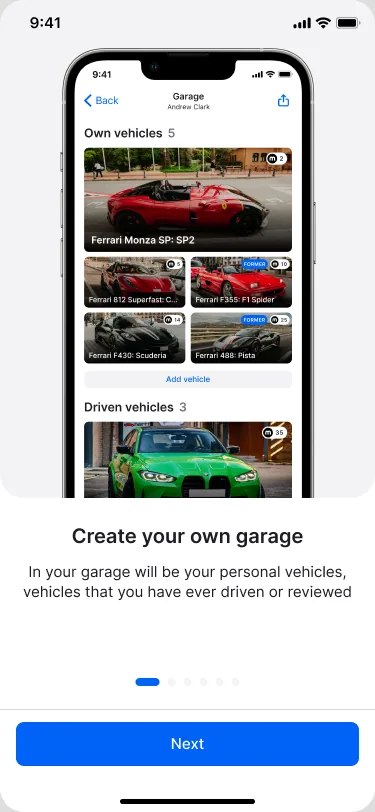
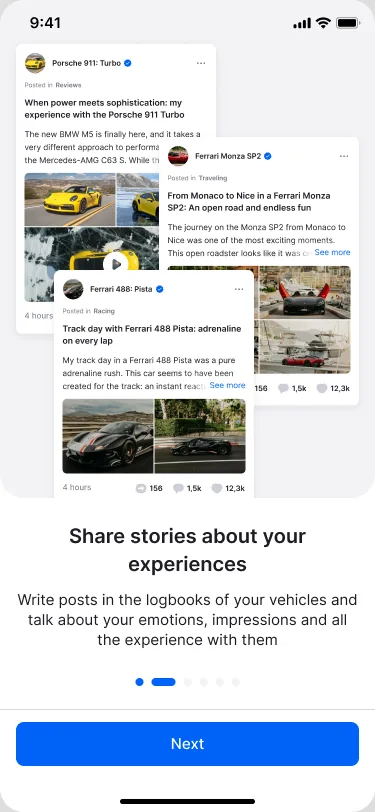
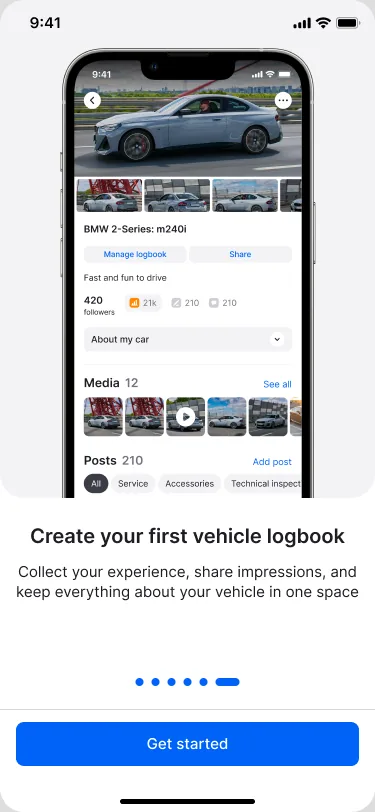
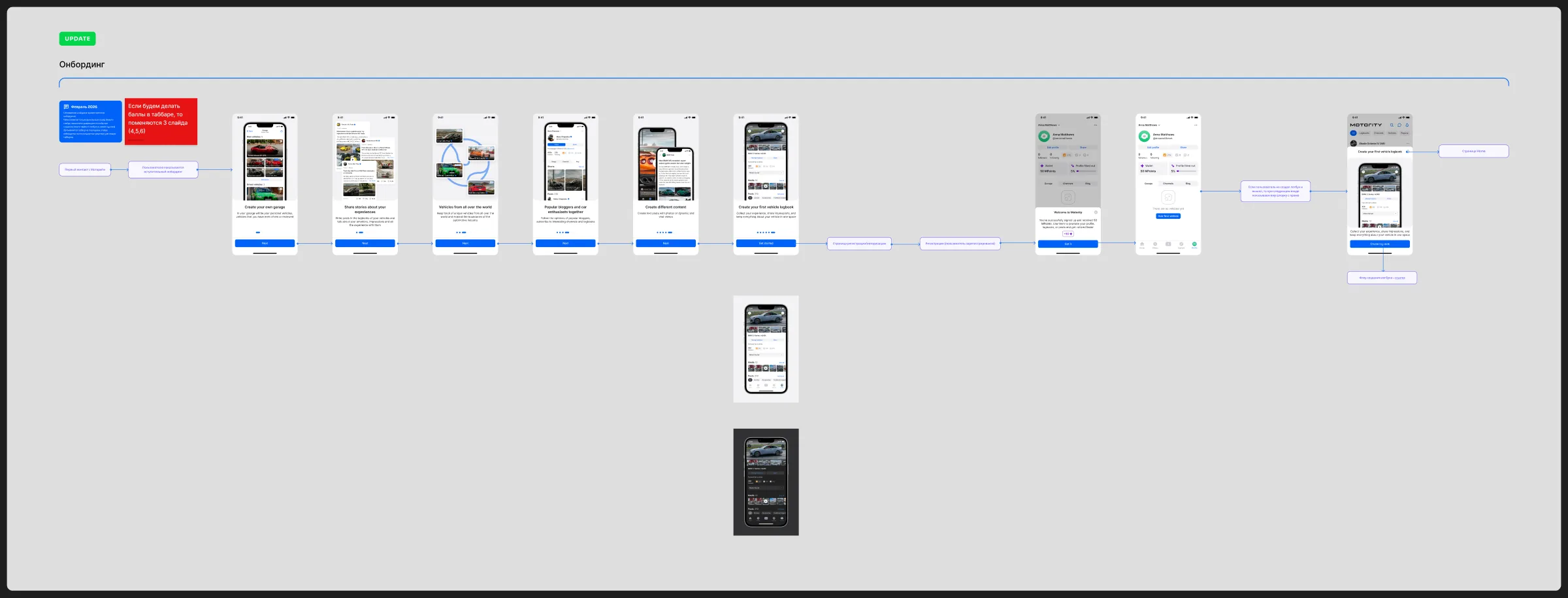
I rebuilt the onboarding into six slides, each showing one product value: your own garage, stories about cars, cars from around the world, bloggers and enthusiasts, different content formats. The final slide is "Create your first vehicle logbook": the onboarding ends not with an abstract "Get started", but with a concrete first action.
Solution 2. More entry points to the logbook
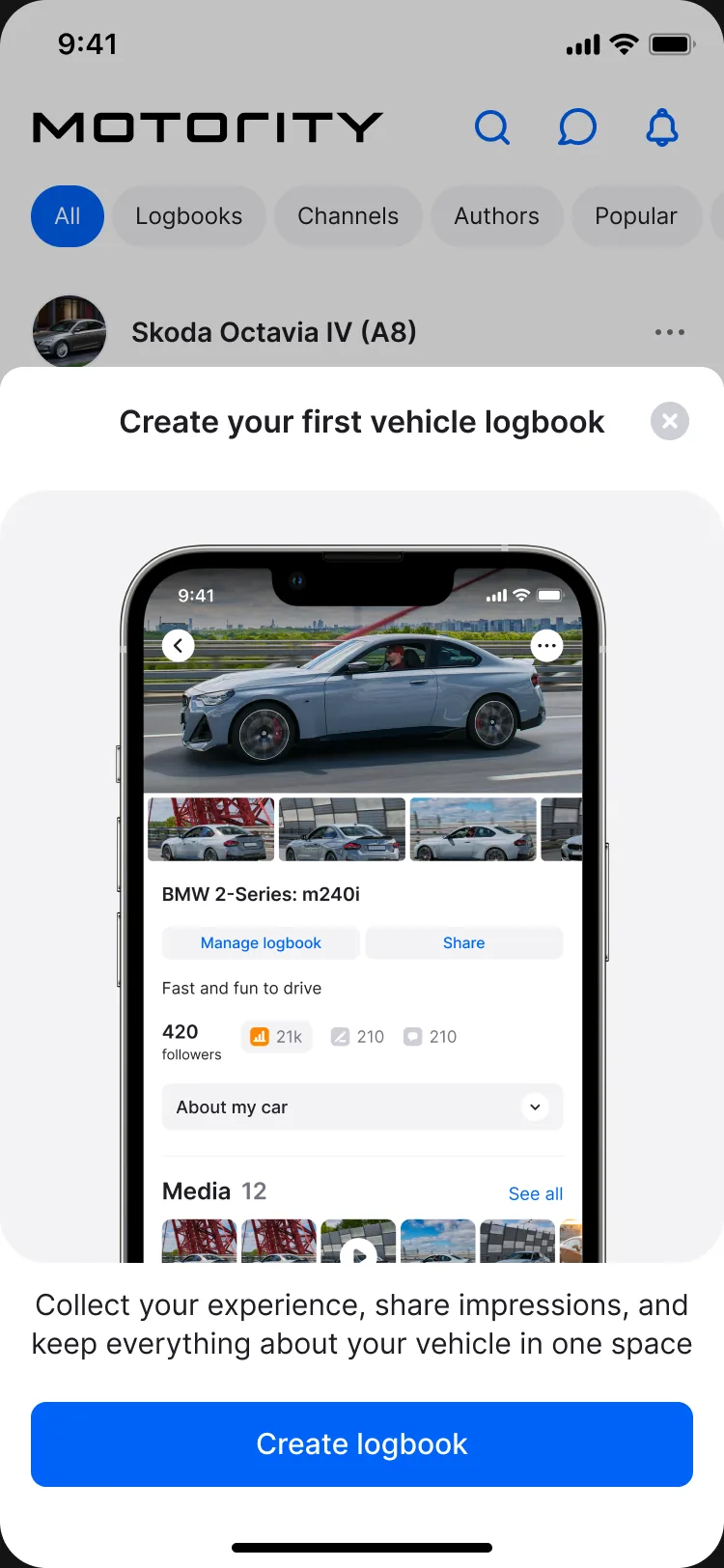
Instead of one barely noticeable block, I distributed entry points to the logbook across key places in the product:
- the final onboarding slide – right after getting to know the product
- a bottom sheet on Home – shown if the user still hasn't created a logbook
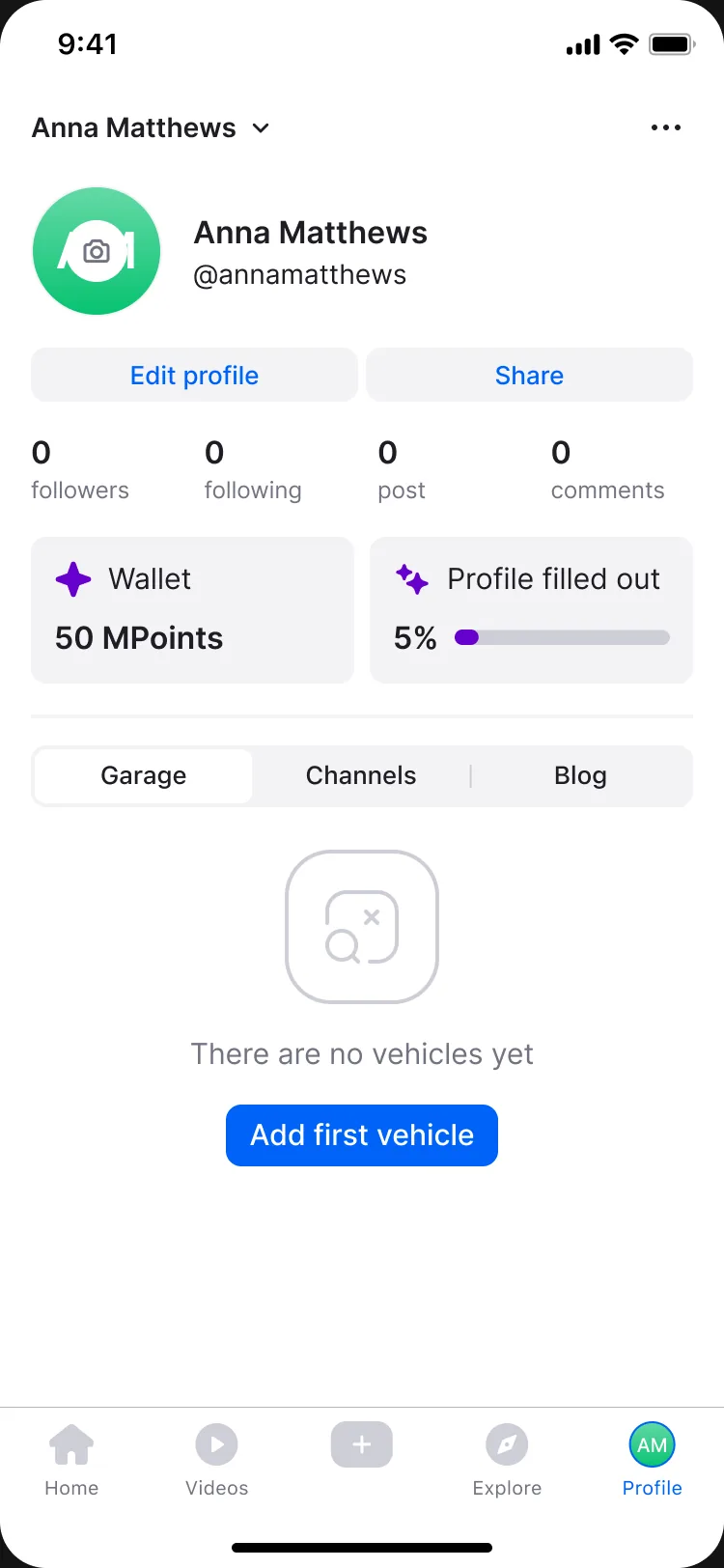
- a prominent block in the profile – "Add first vehicle" and a completion progress bar
- a create-logbook button on Web – previously there wasn't one at all
- an entry point when creating a post – we catch the moment when someone is about to write about their car in the Blog
Solution 3. Tasks and MPoints
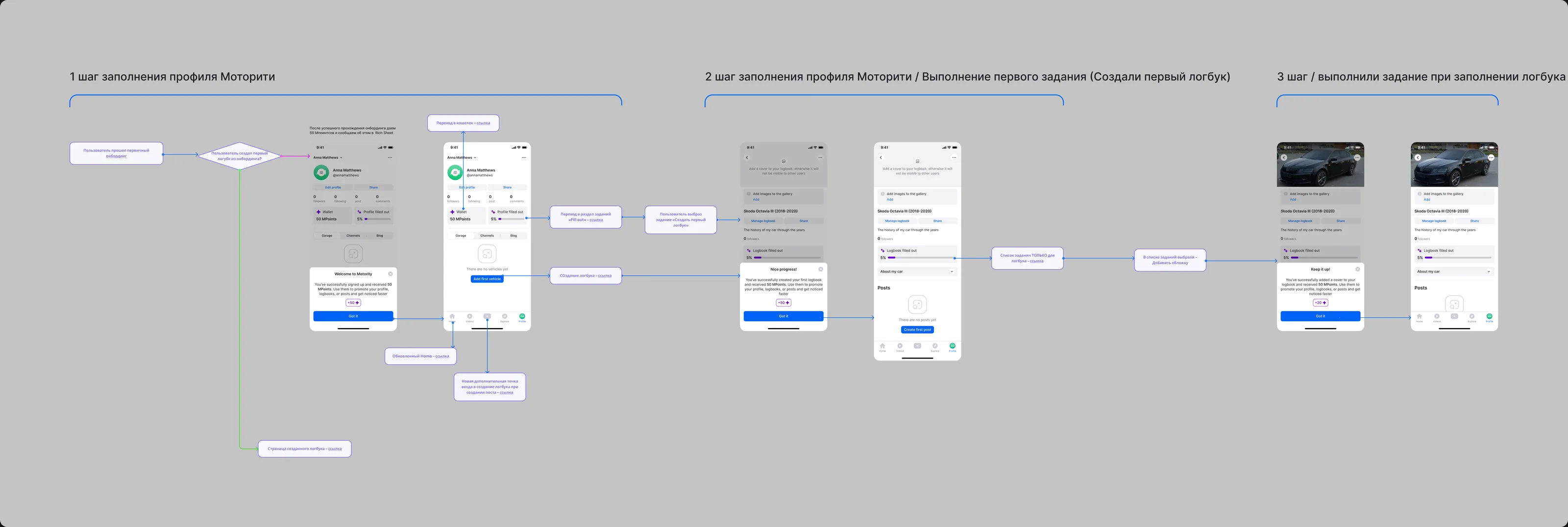
An entry point alone doesn't explain why you should do something. So I proposed a gradual onboarding mechanic built on tasks: instead of learning the whole product at once, users master it step by step and earn an in-app currency for it – MPoints.
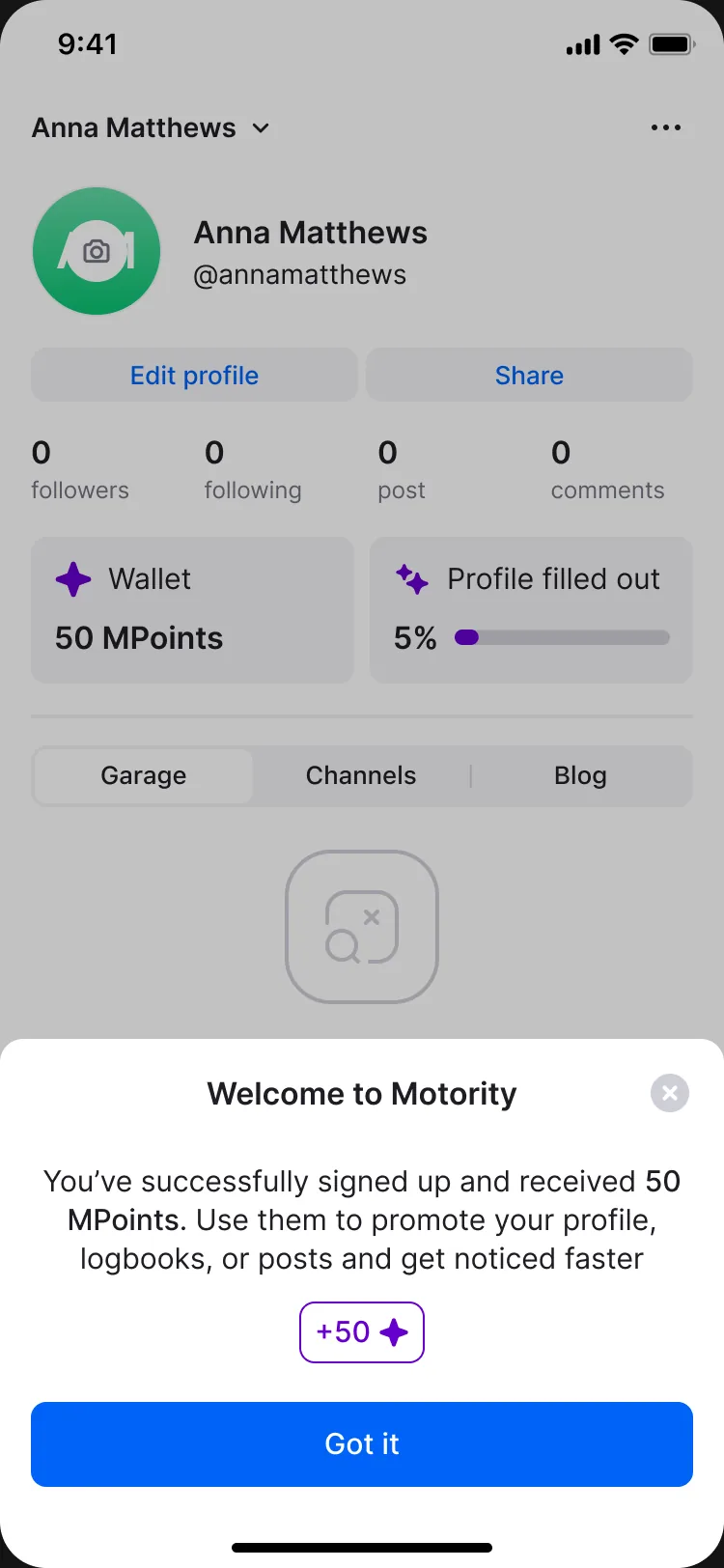
- right after onboarding, users receive 50 MPoints and see it in a welcome bottom sheet – the first reward comes before the first action
- a wallet and a "Profile filled out" progress bar appear in the profile
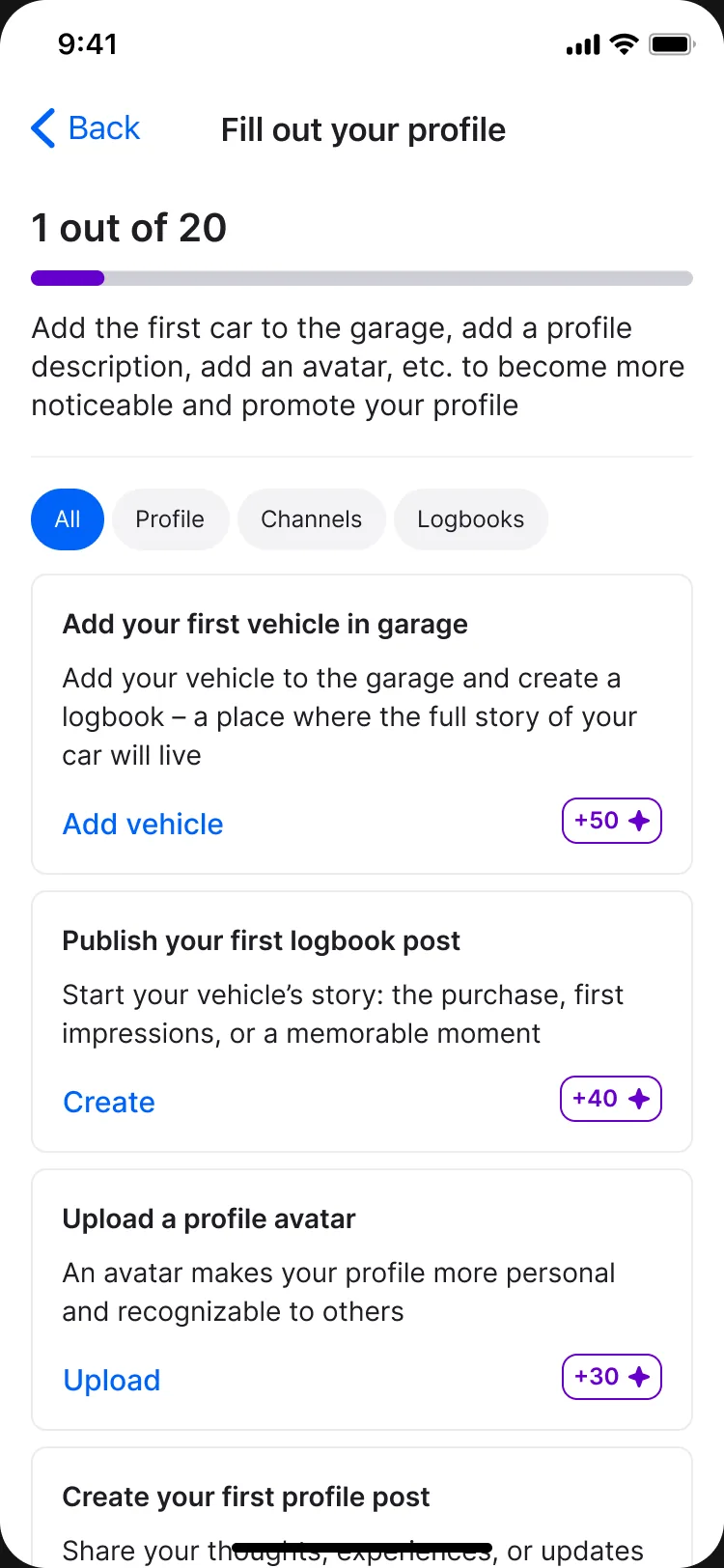
- the "Fill out your profile" section contains 20 tasks with rewards from +15 to +50 MPoints, grouped into All, Profile, Channels and Logbooks tabs
- the most valuable tasks lead to the logbook: "Add your first vehicle" (+50) and "Publish your first logbook post" (+40)
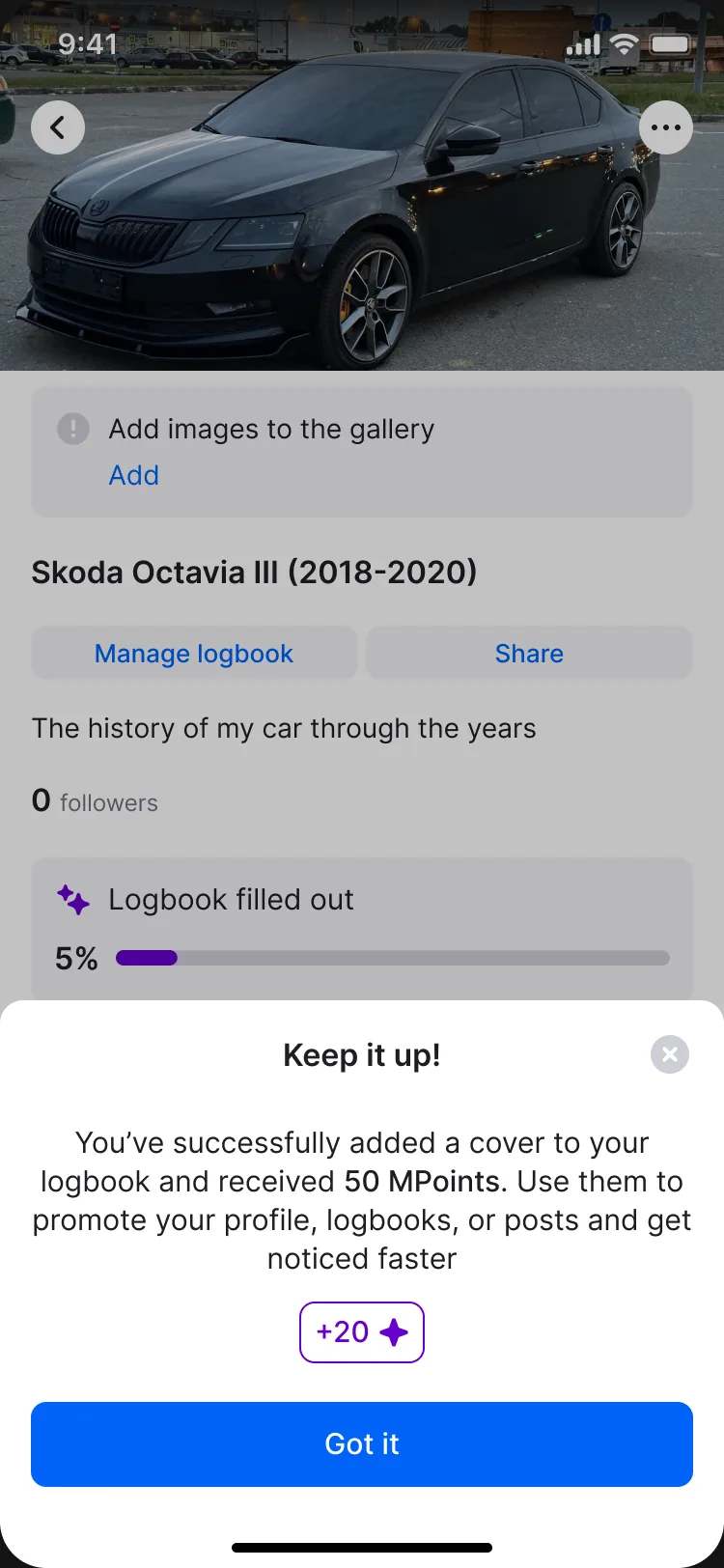
- for every completed task, users get a bottom sheet with the reward and the next step, and the logbook has its own completion bar
Solution 4. Wallet and boosts
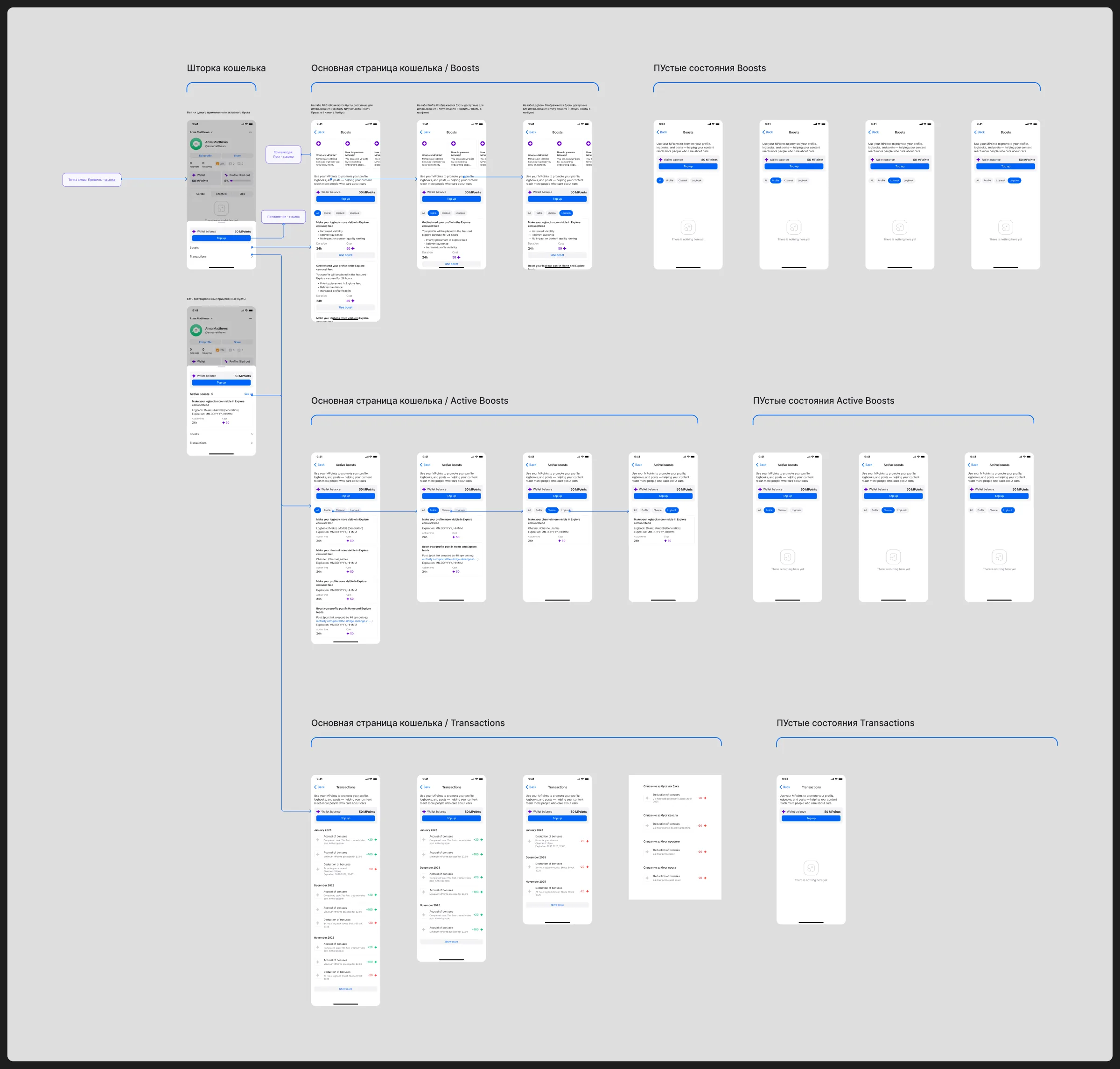
For MPoints to have value, there has to be something to spend them on. I designed a wallet with three sections:
- Boosts – 24-hour promotion: a profile in the Explore carousel, or a logbook, channel or post in the Home and Explore feeds
- Active boosts – current promotions with their expiry time
- Transactions – the history of task rewards, purchases and spending
The Top up button lets users buy more MPoints. This way, rewards for activity and purchases meet in a single currency, and the product gets a revenue stream beyond advertising.
One loop
These solutions work as a single system:
What we relied on
There are no direct analogues in the US and European markets, so I looked at adjacent categories: forums (Reddit, Pepper, Pikabu), social networks (Facebook, VK, LinkedIn, Instagram, TikTok) and platforms with articles and comments. From social networks I took the profile completion progress pattern; from forums, the idea of in-app reputation and rewards for contribution.
The process was partly product-driven and partly project-driven: some decisions could be validated through small user tests, while others went into development based on observations and reviews with the art director and the CEO.
Results
We didn't have time to run a full product study of the updated onboarding and the new MPoints functionality, so the results were tracked through user feedback and admin panel data:
- fewer users didn't understand where and why to create a logbook
- fewer users signed up without creating a logbook or publishing anything
- average user activity went up
- after the release, feedback started to mention that the product had become easier to understand
- the entire mechanic – tasks, MPoints rewards, boosts, transactions and purchases – made it to release
| Metric | Before (estimate) | Expected after launch |
|---|---|---|
| Share of new users who created a logbook in their first week | ~15–20% | 35–45% |
| Share of new users with no actions after sign-up | ~40% | 20–25% |
| Share of users who completed 3+ tasks | – | 30% |
| Share of users who launched at least one boost | – | 10–15% |
What I would do differently
I would build in analytics from the first release, so that from the very beginning we could track any change we made to the interface. The strongest decision in the project was the gradual onboarding through tasks and MPoints, but we only saw its effect qualitatively. Today, before launch, I would agree with the team on funnel events (sign-up → car → logbook → first post → boost) and roll out the new onboarding through an A/B test to get real numbers instead of benchmarks.
Interface gallery
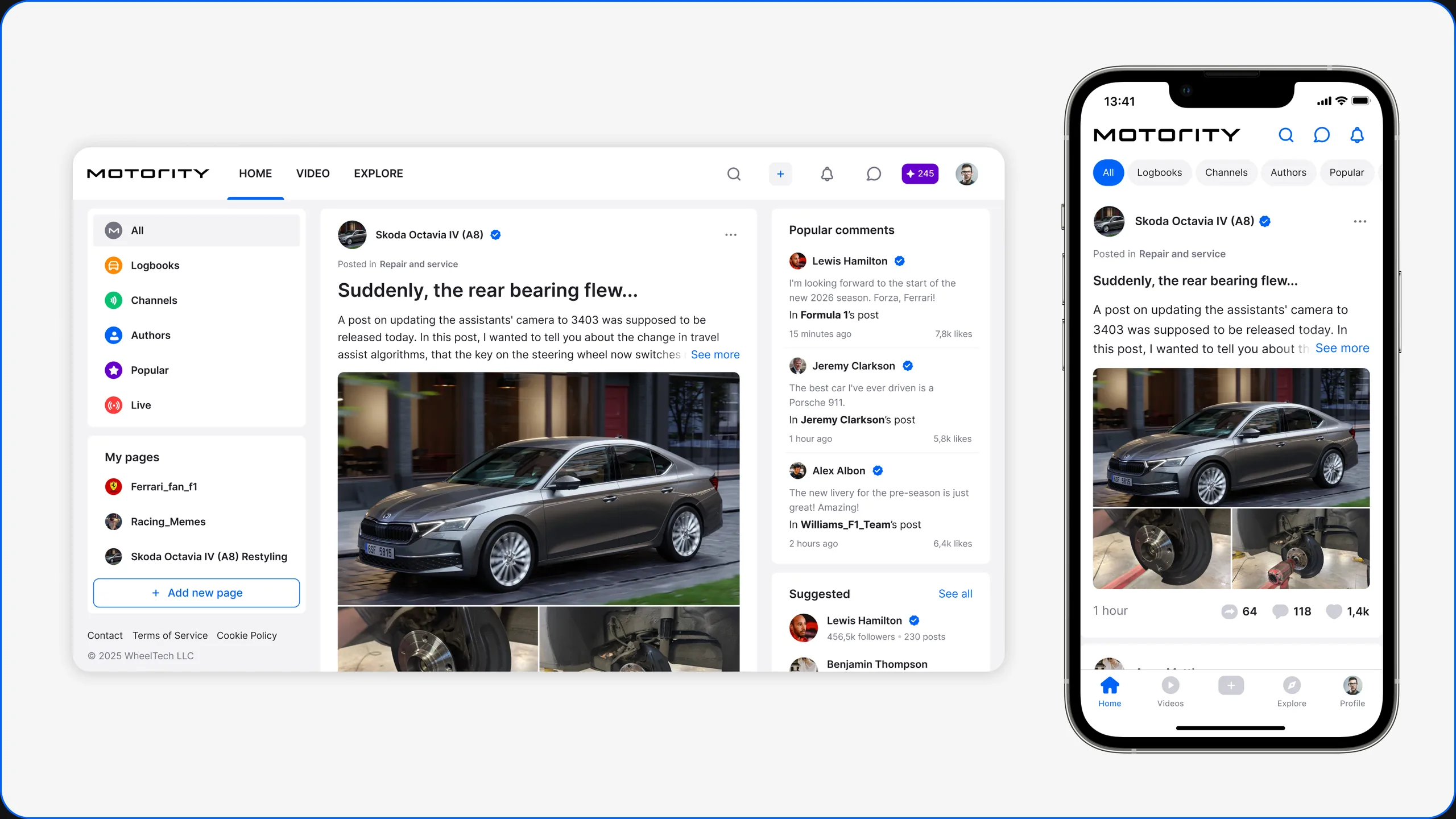
Home feed
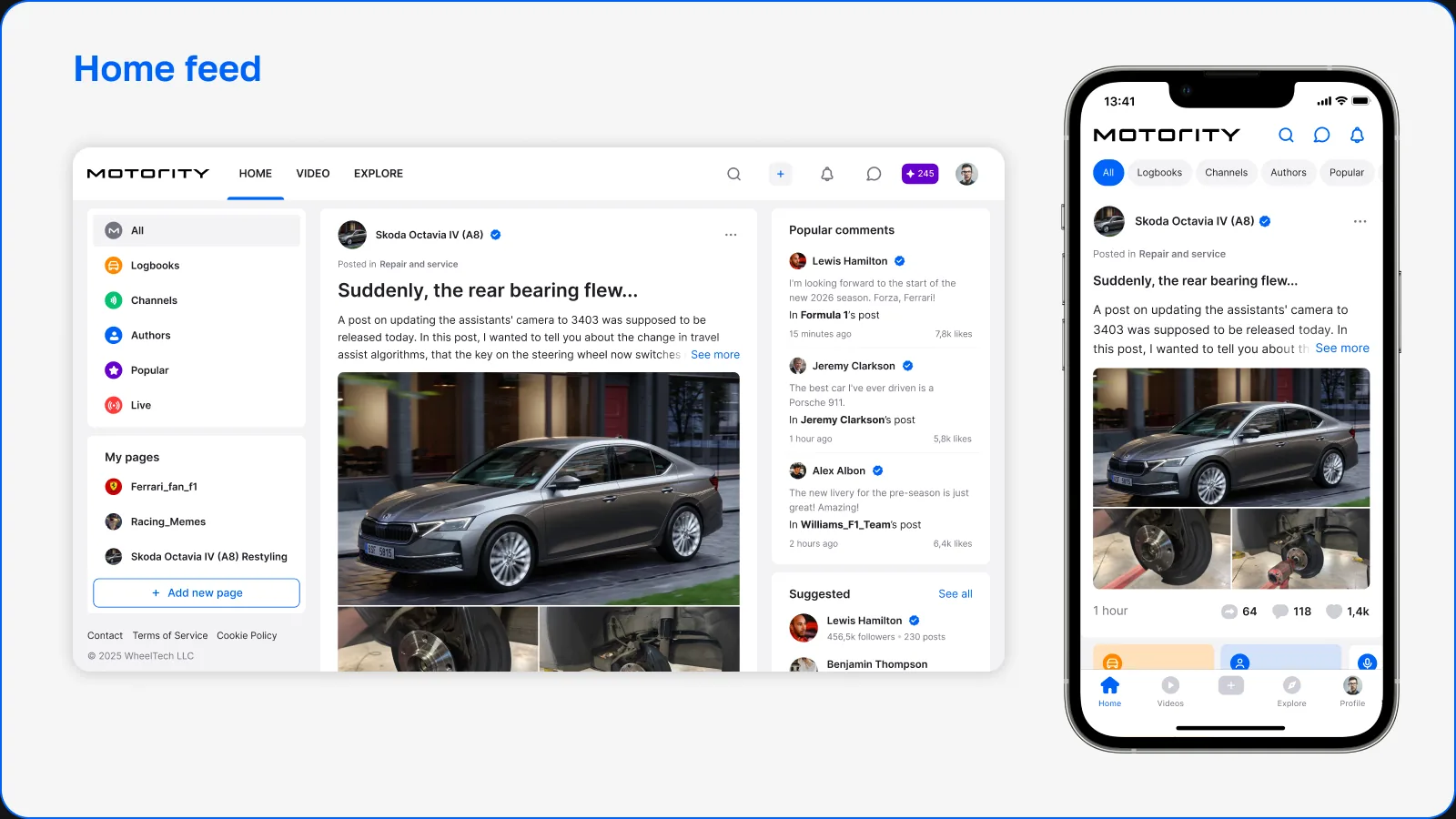
The Home feed is the central discovery space of the platform, where users interact with the community and follow updates from other car enthusiasts.
The feed brings together different types of content – car updates, logbook entries, blog posts and channel publications – letting users stay connected with both the people and the cars they follow.
The interface was designed to prioritize readability and visual content while keeping clear interaction patterns for comments, reactions and discussions.
Author profile
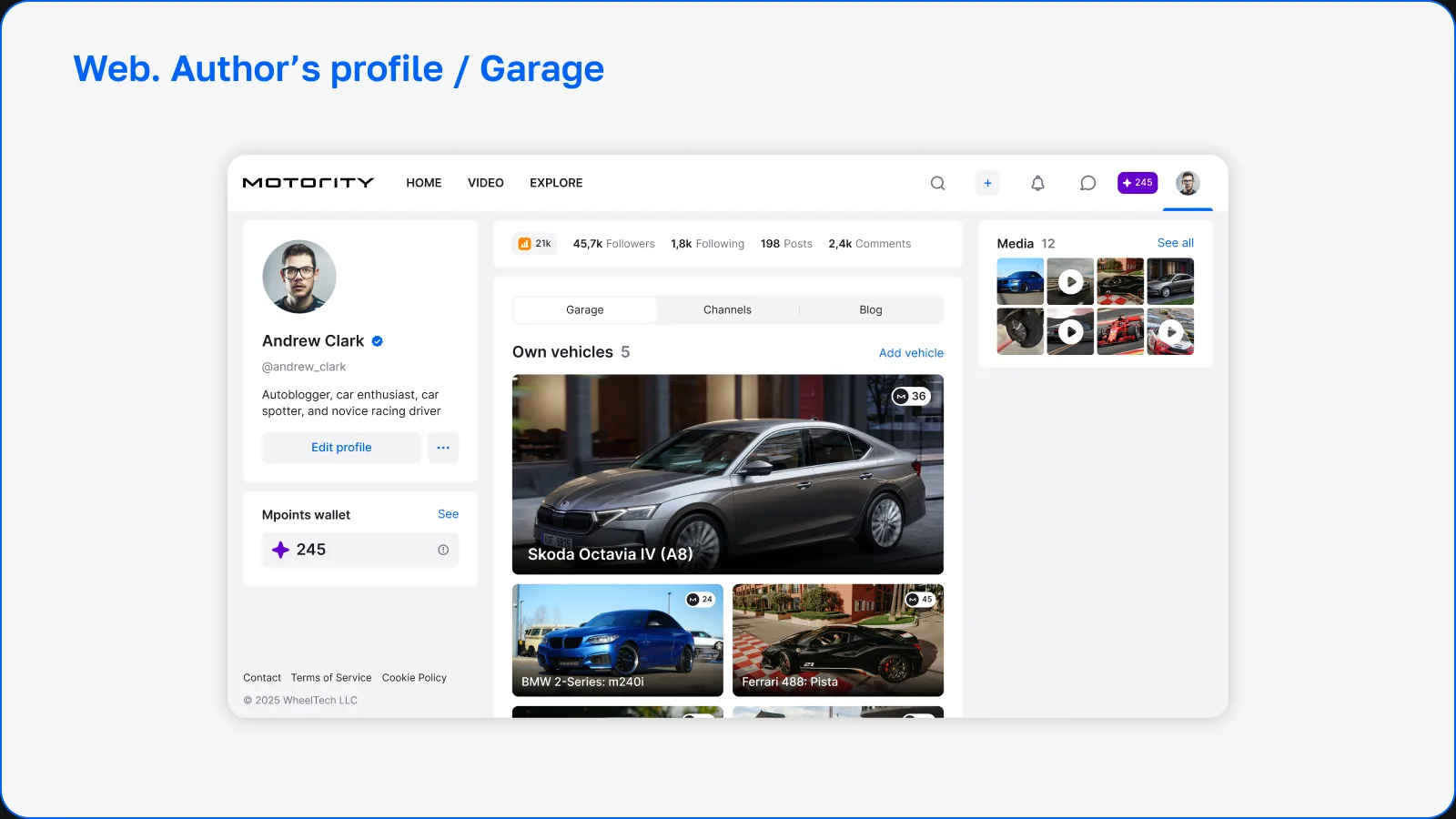
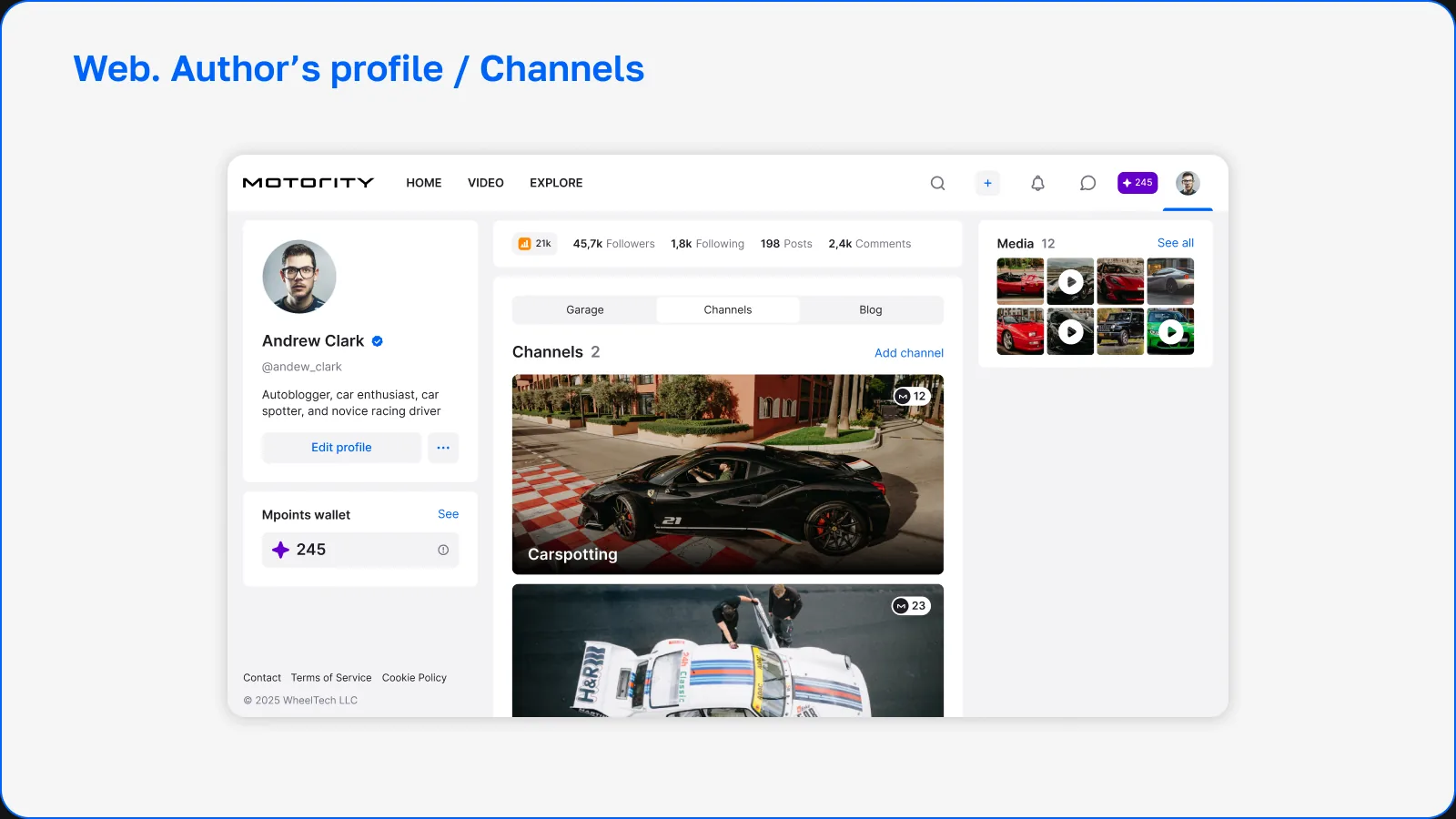
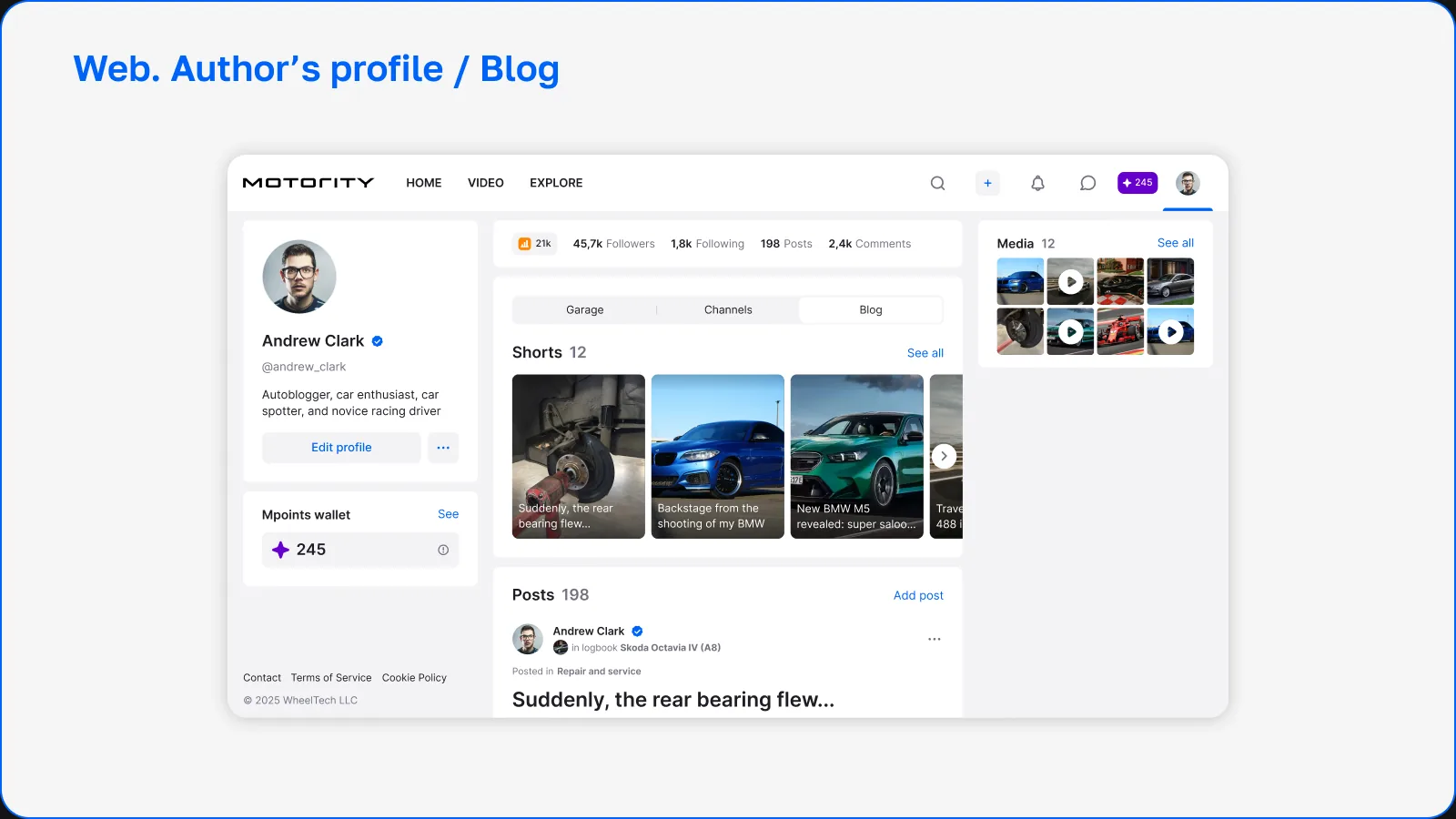
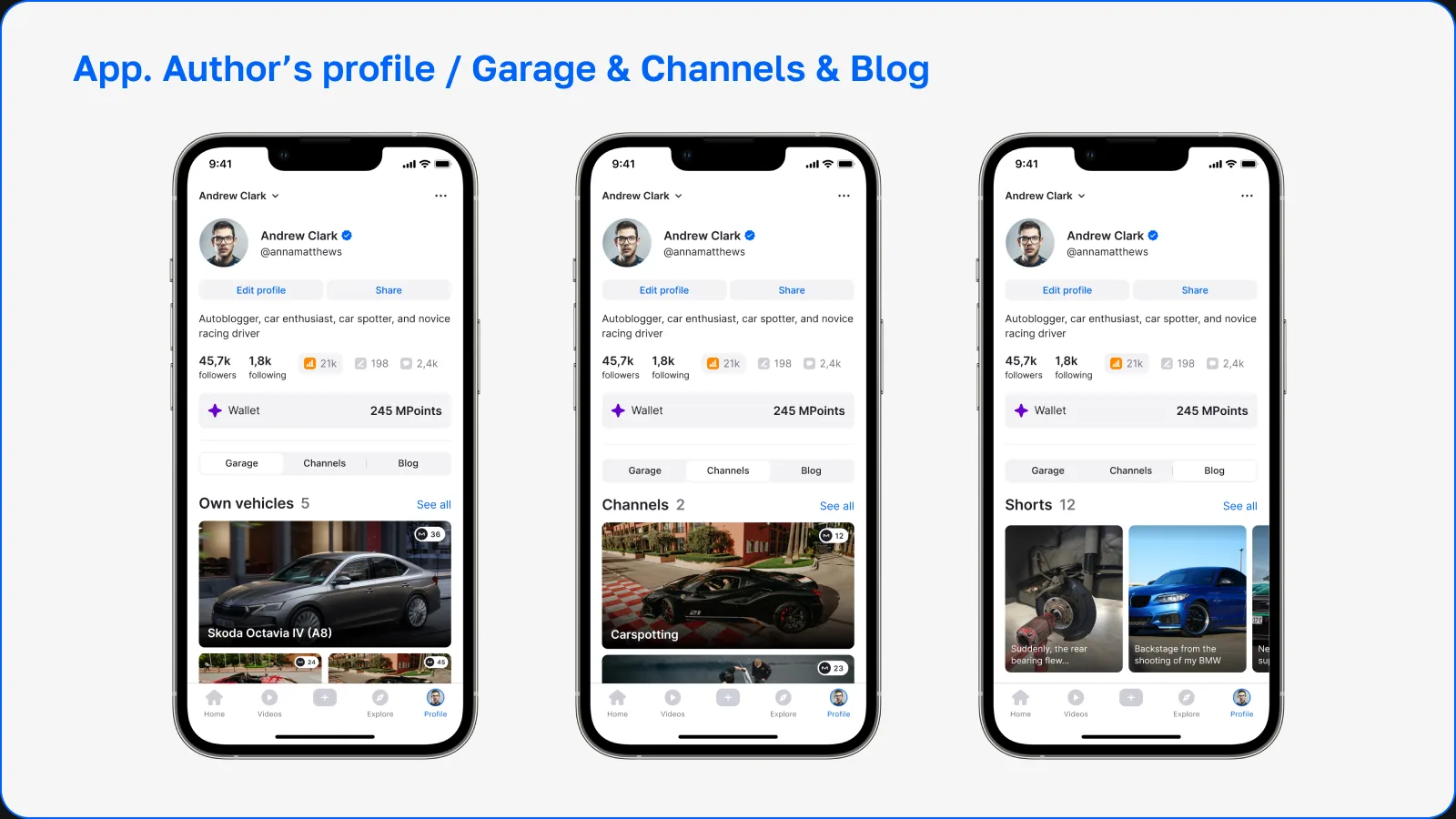
The user profile is the central hub of an author's activity on the platform.
It gives access to the different types of content a user creates and organizes them into structured sections. The goal was to let users present themselves not only as individuals, but also as car owners, authors and community members.
The profile structure includes three main content sections:
- Garage – the user's collection of cars
- Channels – thematic communities created by the user
- Blog – personal posts and publications
This structure lets users manage different types of content within a single identity.
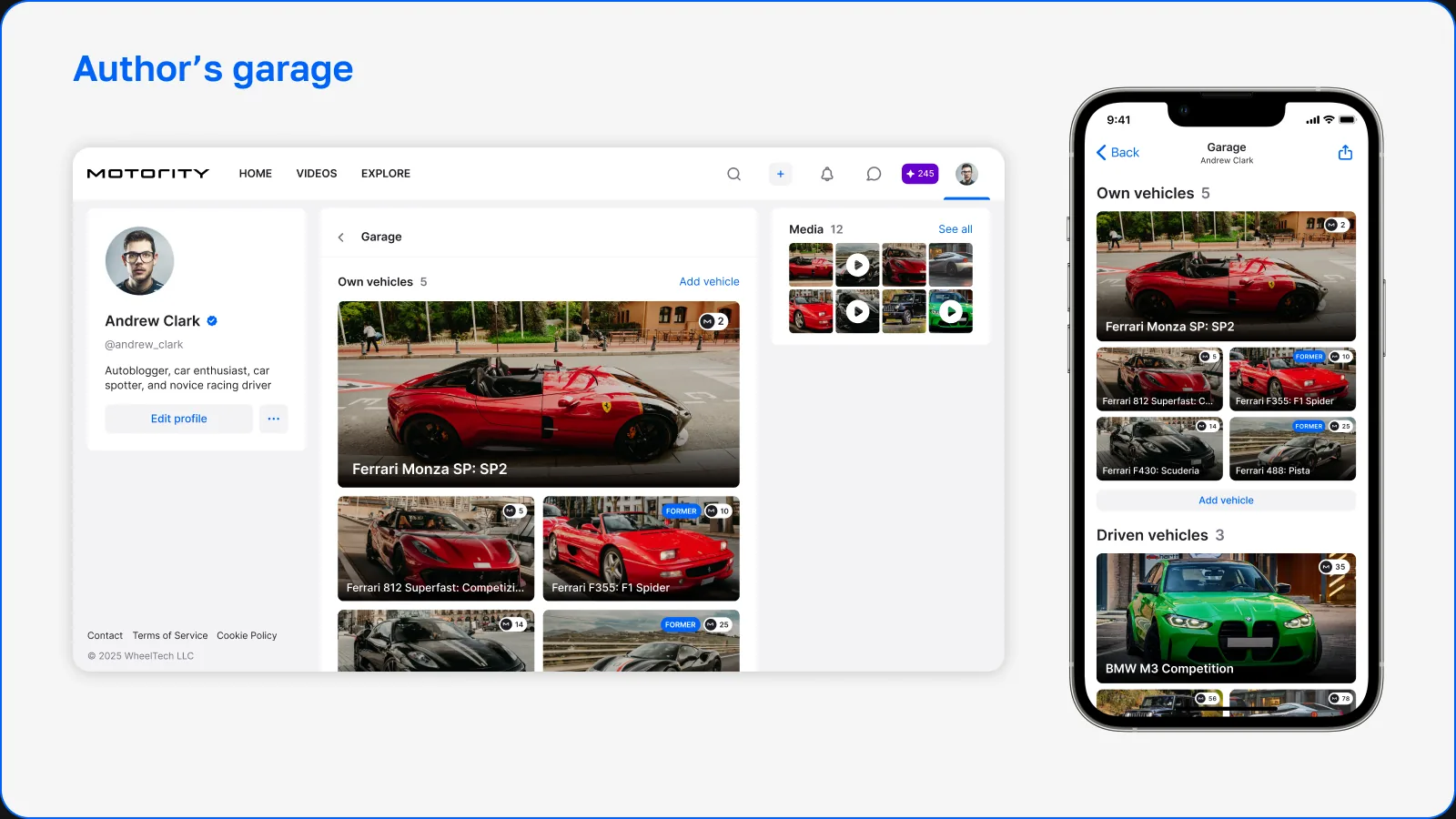
Author garage
The garage is the collection of cars the user owns and one of the key elements of their identity on the platform.
Each car becomes a separate entity with its own content, history and interactions.
The garage interface focuses on visual presentation and easy navigation between cars, letting users show off their vehicles and quickly jump to detailed car pages.
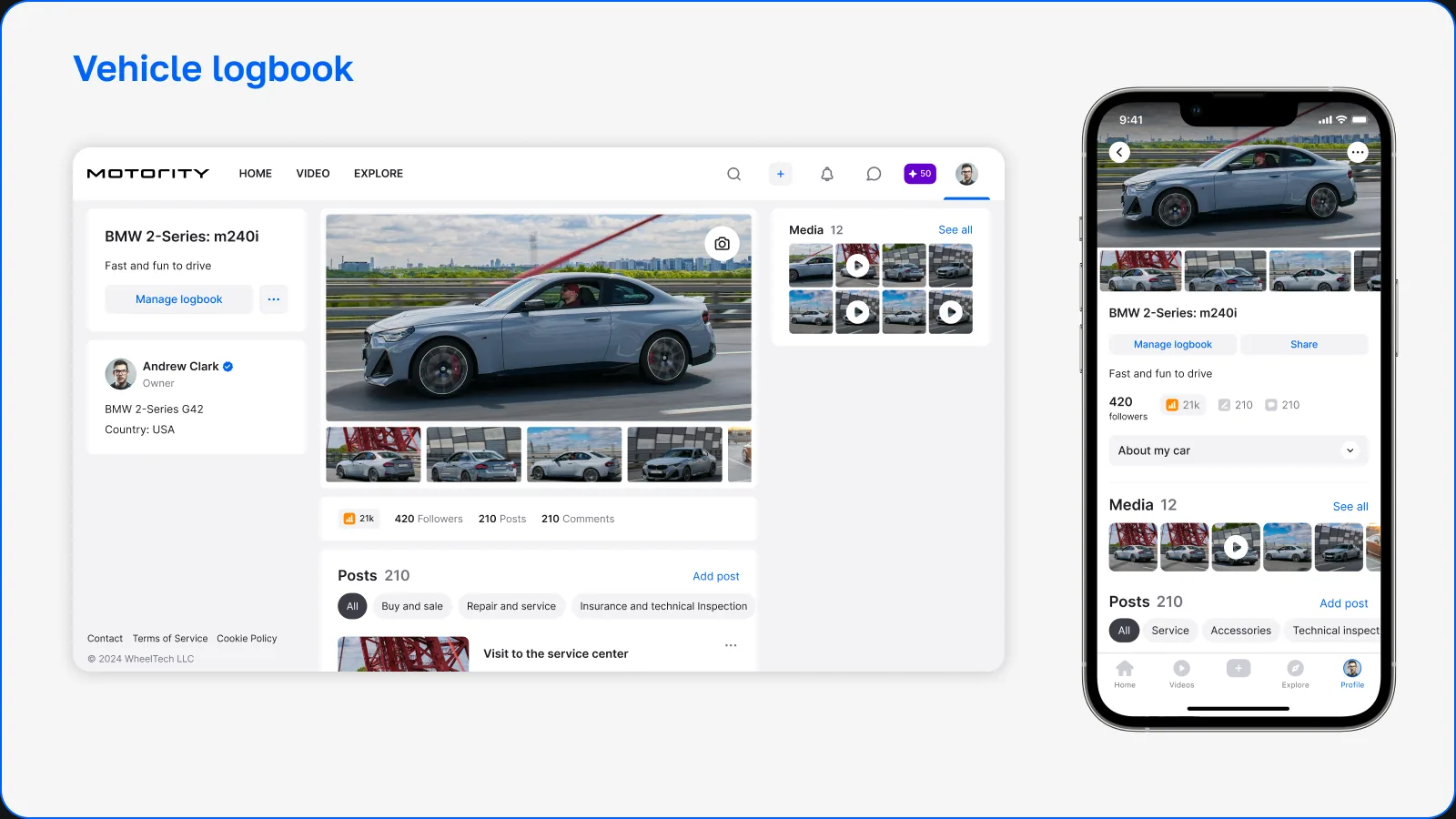
Vehicle logbook
The logbook is one of the key product features that sets Motority apart from traditional social networks.
It lets users document the life of their cars by publishing structured entries about:
- maintenance
- modifications
- events
- personal ownership experience
Entries are shown as a chronological timeline, making it easy to follow how a car has evolved over time.
This feature turns the platform into both a social space and a long-term archive of car ownership history.
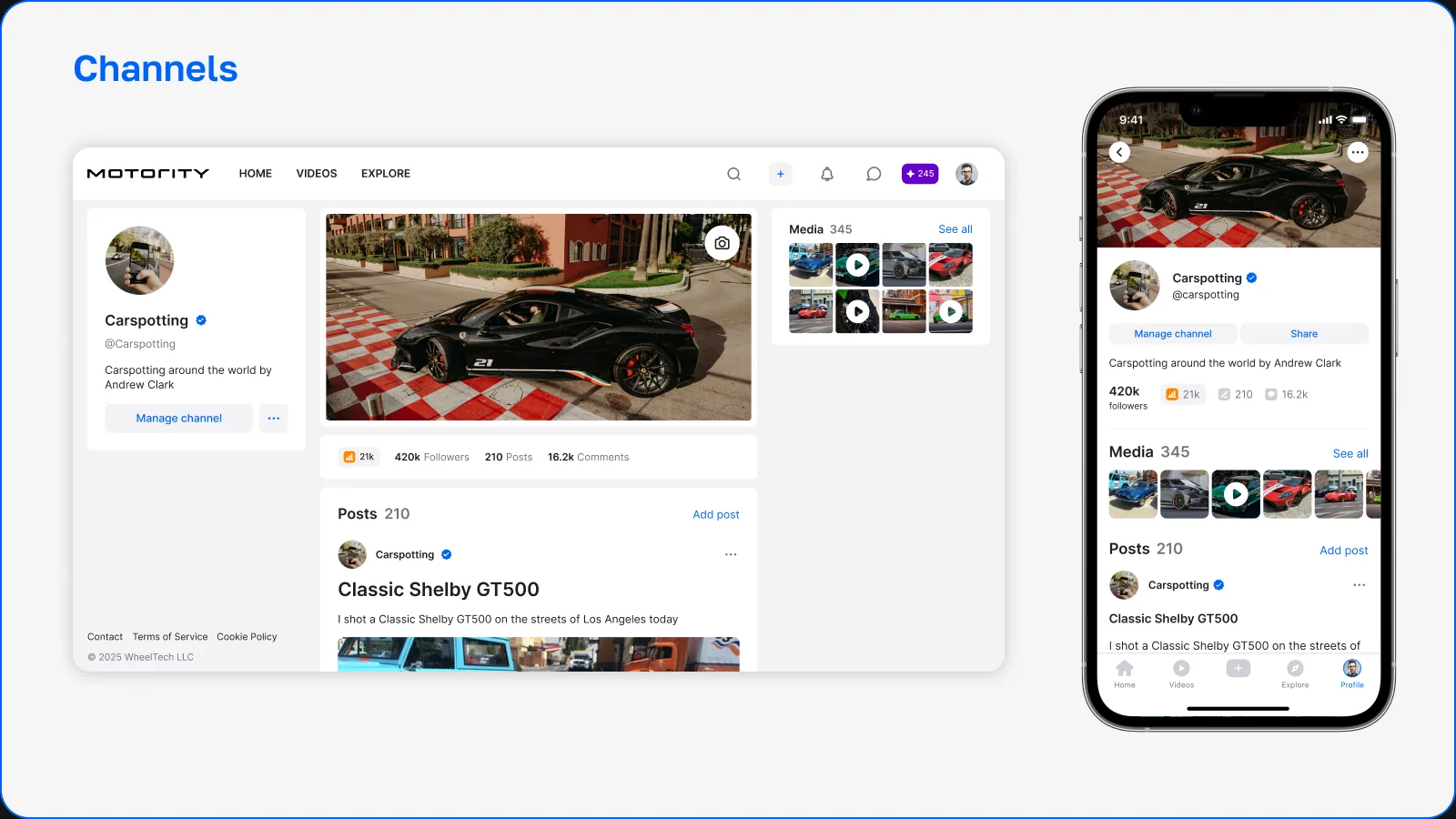
Author channels
Channels let users create thematic spaces around specific automotive topics.
Unlike personal posts, channel publications are meant for broader discussions, knowledge sharing and community building.
Users can subscribe to channels, follow updates and join discussions, turning channels into micro-communities inside the platform.
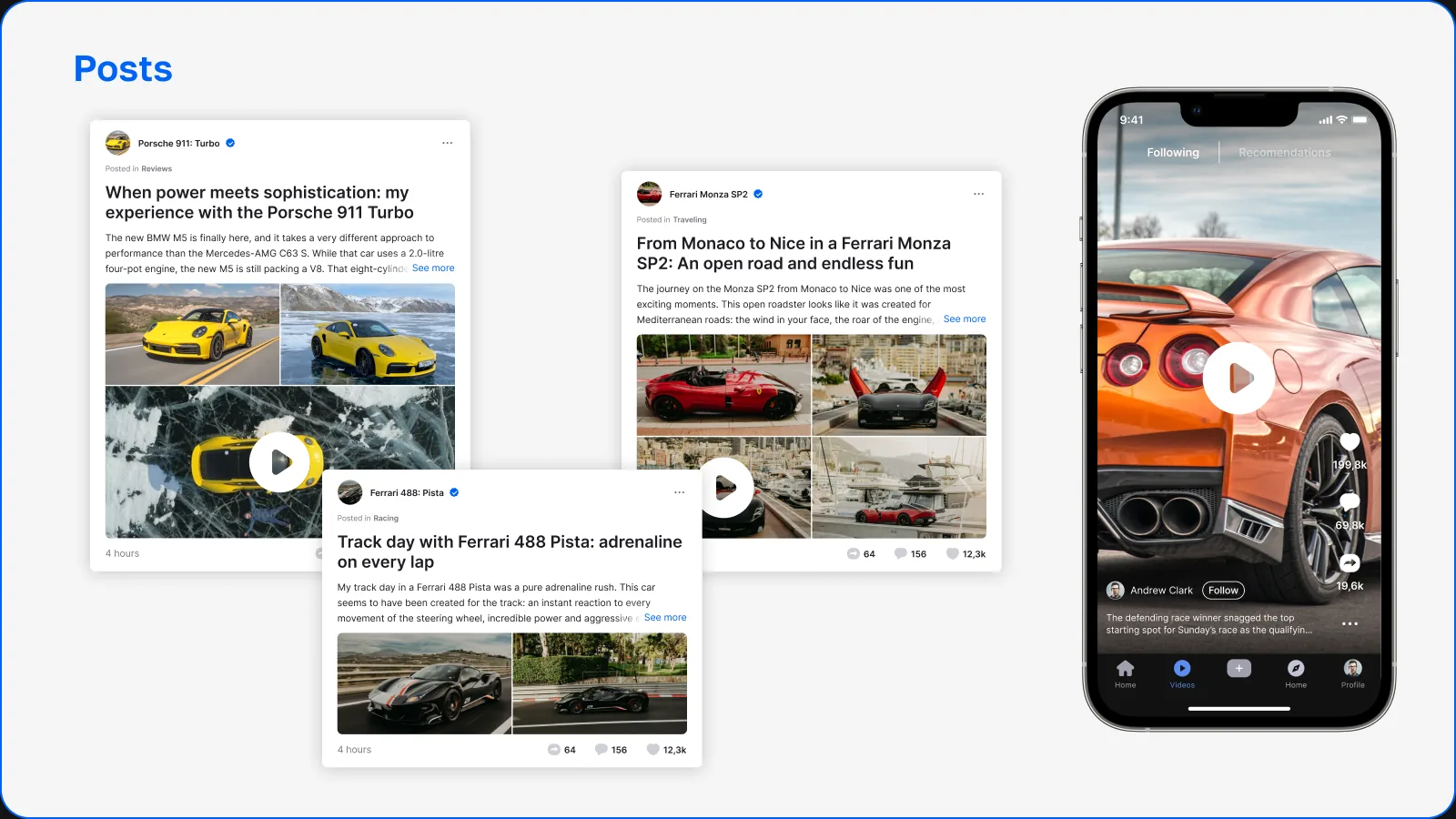
Logbook posts
Logbook posts are structured entries that car owners create to capture specific moments in the life of their cars.
These posts can include images, descriptions, technical details and updates about modifications or maintenance.
The interface was designed to support different types of entries while keeping car-related content presented consistently across the platform.
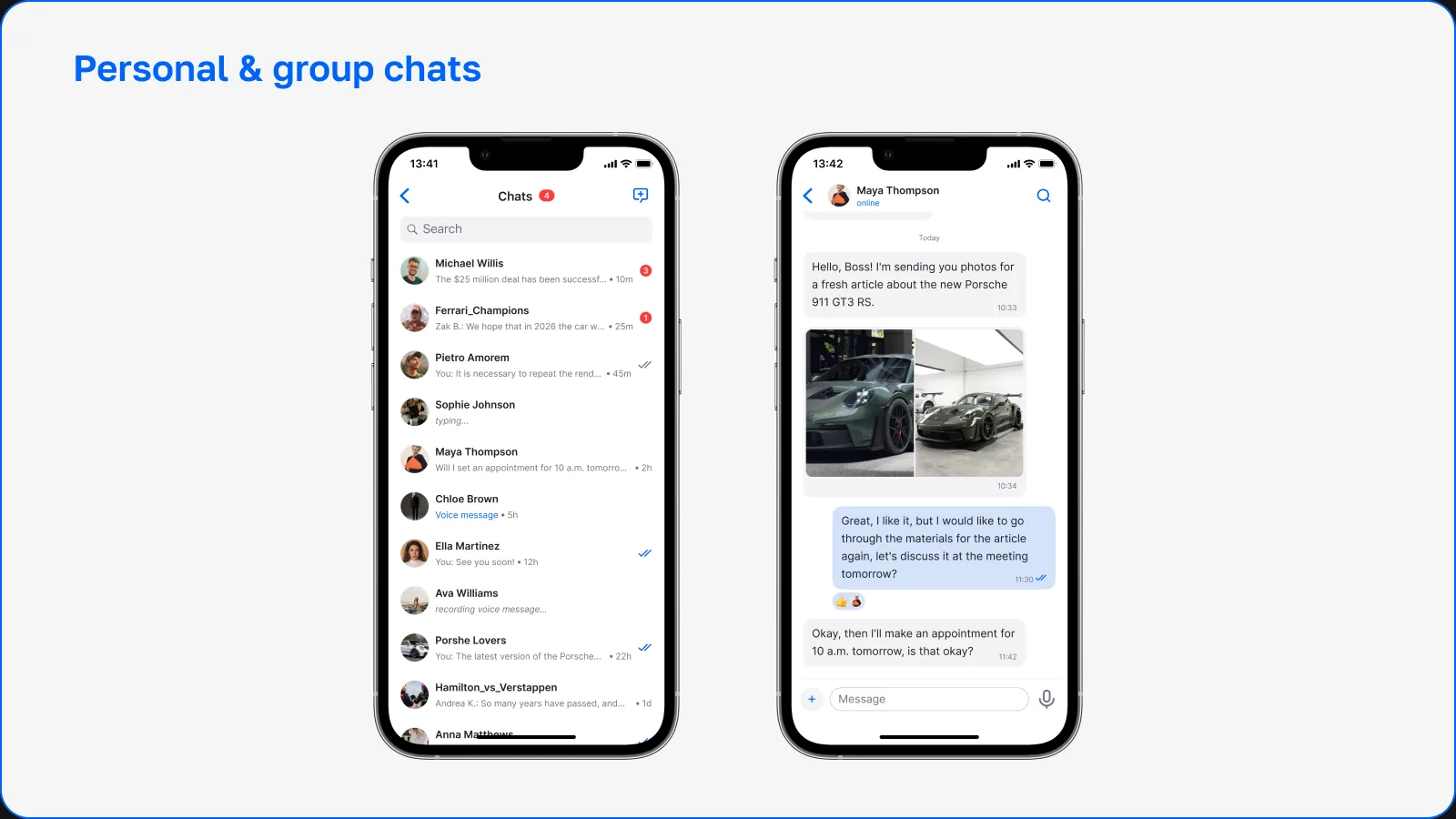
Private and group chats
Messaging lets community members talk to each other directly.
The platform supports both private conversations and group chats, so users can discuss cars, organize meetups or continue discussions that started in public posts.
The chat interface focuses on clarity and fast communication while staying visually consistent with the rest of the platform.